Your first static site
Content
Create Github account
Open github in your browser and create new account.

Create new repository
Go to Repositories tab: https://github.com/{your_github_account_name}?tab=repositories.
Create new repository. Call it like {your_github_account_name}.github.io.

Setup github pages
Go to Settings tab: https://github.com/{your_github_account_name}/{your_github_account_name}.github.io/settings.
Click Check it out here in GitHub Pages section.

Activate Github Pages
Go to Settings -> Pages section: https://github.com/{your_github_account_name}/{your_github_account_name}.github.io/settings/pages.
Choose: Branch ‘Main’
Keep / (root)
Click Save
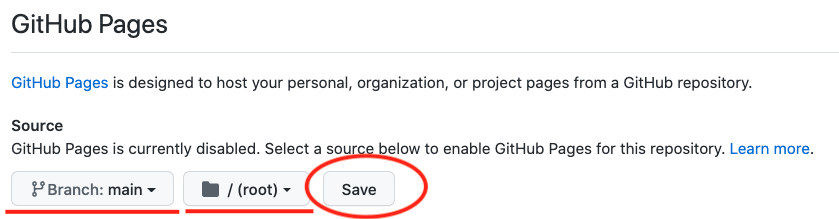
After this step you will see ‘Your site is ready to be published’.
Choose theme
Let’s setup simple theme for our website.
Choose Choose a theme

You will see possible themes to choose then.
Let’s choose minimal theme there.
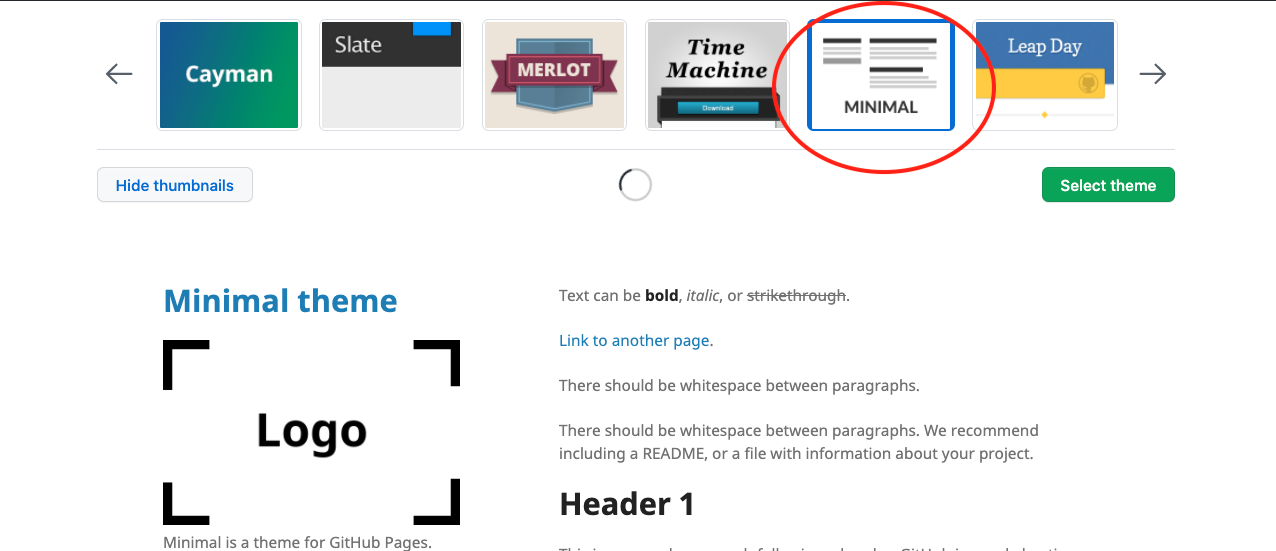
Next you will see the window with a suggestion to commit README.md file.
Click Commit changes
The first step is successfully completed! You can already see the result by the link: https://{your_github_account_name}.github.io
Let’s improve our website
Create simple layout
Layout - is like a template with common structure that can be used for website pages.
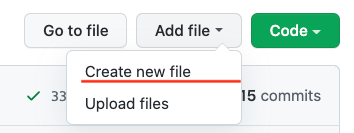
Create new file /_layouts/default.html.
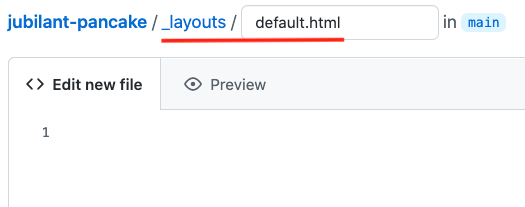
jubilant-pancake - just a name of my repository used for the demo.
Paste content into default.html below. Use this example
Click Commit new file

Use created layout for the main page
Now we are ready to reuse the previously created template for our site pages.
Create index.html in the root, fill the content and commit changes.
You can use example
You can see the changes on your website less than in one minute. Go to the main page and refresh it. Wait until the changes become visible.
Add posts
You can use your static website like a blog. Let’s create a simple example and see how we can use this function.
Open index.html and add this code to the bottom of the page.
It will make it possible to show a list with posts names on the main page.
If you go to your website you won’t see any changes. Nothing has happened because you still haven’t created any post. Let’s change it.
Create new file _posts/2022-04-06-my-first-post.md.
Paste
---
layout: default
title: "Jekyll: static websites generator"
tag: jekyll
---
inside of it and write e.g. It's my first post and I did it myself! below. Commit it.
Wait and check the changes on your website. The post name should apppear on the main page.
Fix the links and names
You can see that some names have CHANGE_ME prefix.
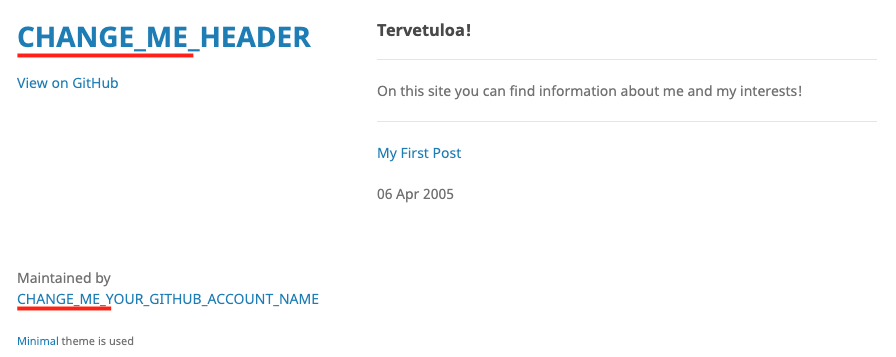
And now a small quest. Fix all names and links that are started from the prefix CHANGE_ME. All you need is in default.html layout.
When everything is fixed all links should work and all names should be correct.
Bonus
As a bonus you can create an additional page with a link from the main page and add an image there. You can use image tag for html or this for markdown.
What is next
If you want to make your website even better you can think about:
- Learning how to use Jekyll utility to debug it locally on your machine
- Adding tags that can organize your posts into categories
- Making it possible to create comments in your posts
- Using other themes
- Creating your own style and replacing the stylesheets used in a theme
- Creating other pages
- Studying javascript and creating your own scripts to interact with a user
You can also take a look at next static sites examples based on github pages:
HTML5 games examples for those people who are interested in browser games: